
Register for the catalogue
Access the full range of eResources and catalogue features by signing up to our single sign-on service with one set of account credentials. You can also use these credentials to sign into your Library membership account.
You will need your 5-digit membership number and the email address you registered with the Library the first time you sign-up in order to verify your account and create a unique password. You will then need this password and your email address to sign-in on subsequent occasions. Please follow the instructions below to sign-up for the first time.
View our guide to searching the Library catalogue to help you get the most from your search.
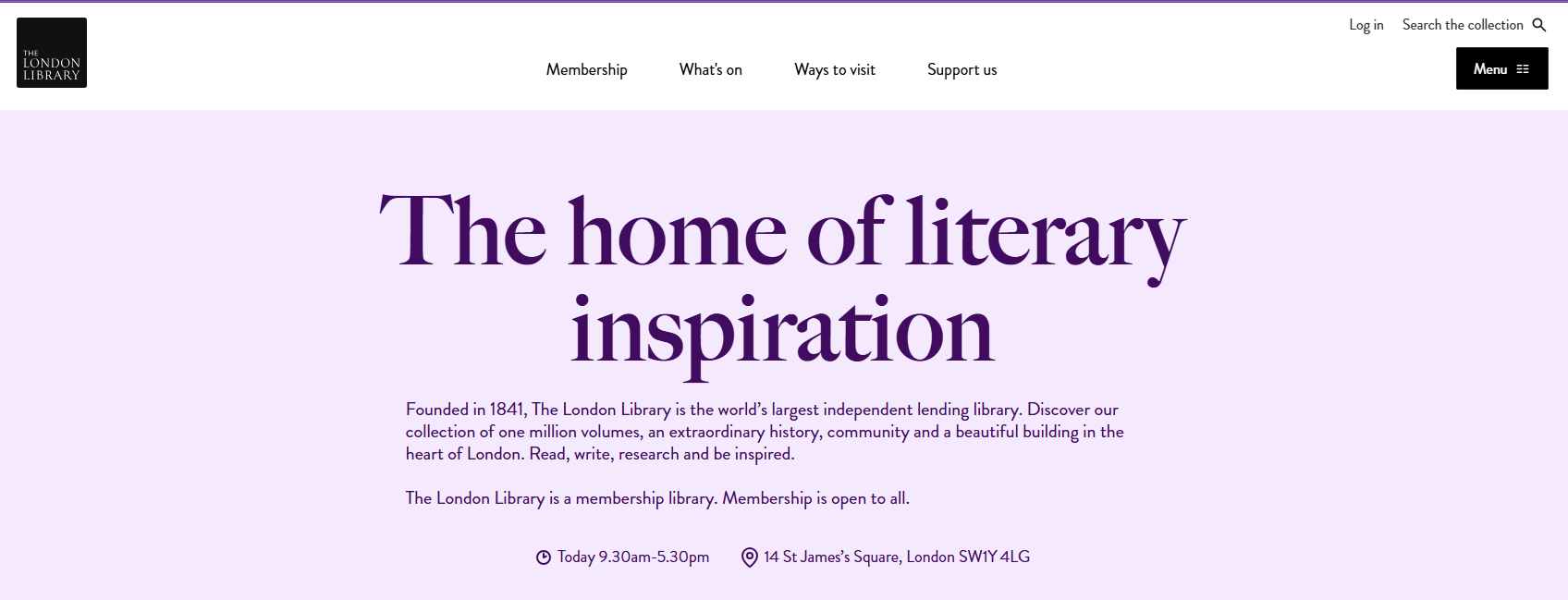
From The London Library website, click on the 'Search the collection' link in the top right corner which takes you to the member login page.
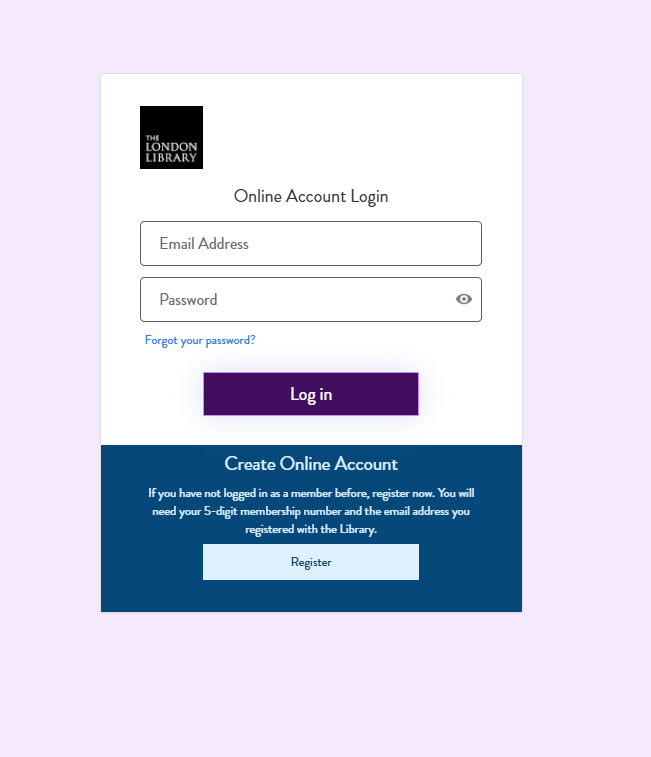
Then click the blue 'Register' button at the bottom.
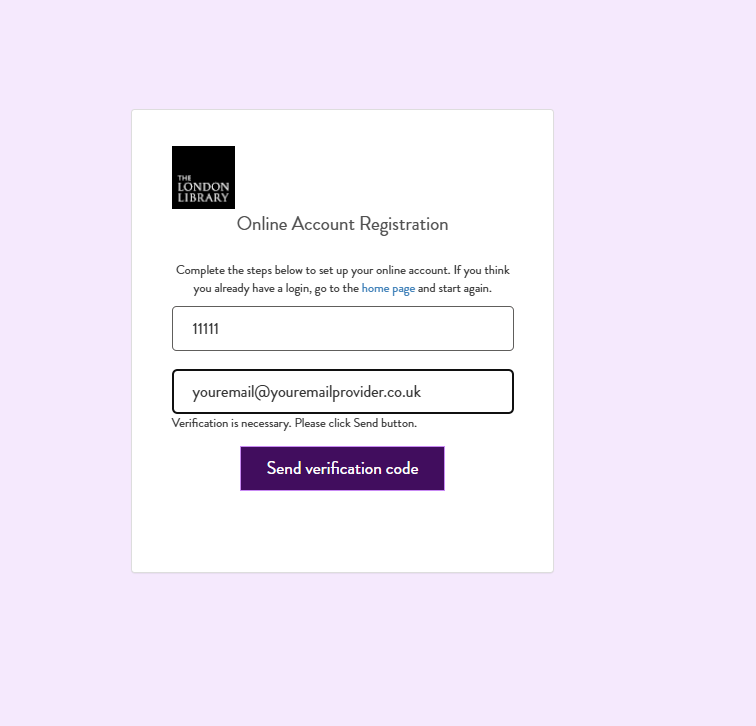
Enter your 5-digit membership number (this is on your Library card) and the email address you registered with the Library. It is important that you enter your email address using only lowercase characters.
Institutional Representatives will need to register to the single sign-on service using their 5-digit membership number and the email address they registered with the Library. Once you have created a unique password you and your Nominee(s) need to use this email address and password combination to sign in on subsequent occasions.
Then click the purple 'Send verification code' button.
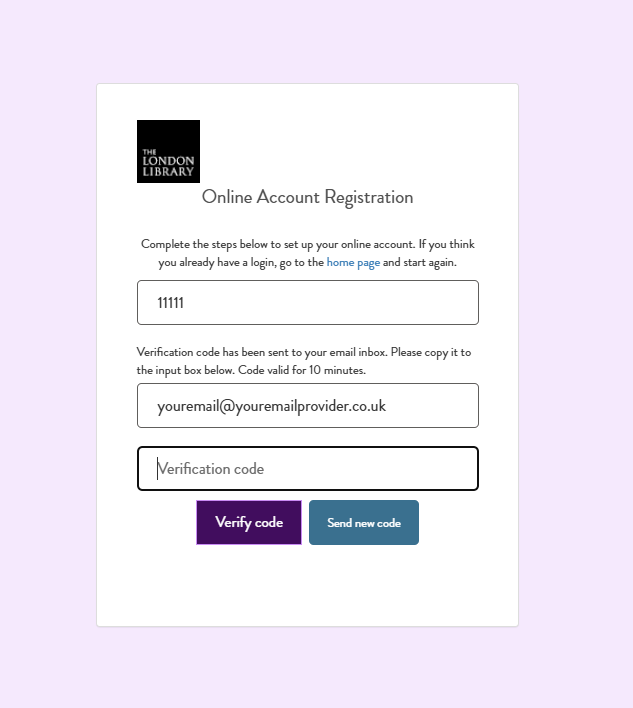
If the email address is the same as the one recorded on your membership record you will be sent a verification code to your inbox. The code is valid for 10 minutes. If you do not use it within that time you will need to press send verification code again and enter the most recent code.
If you cannot sign in with your gmail or ymail email address please try entering googlemail or yahoomail instead. Please note, if you experience a 'Log in failed' message please ensure you have removed any capital letters from your email address.
If you have no email address recorded on your membership, or if you wish to update it, please contact our Membership team / (020) 7766 4720.
Enter the code that was emailed to you and click 'Verify code'.
The registration is now complete and in the future you should use this email and password combination to log into the Library’s electronic services. If you forget your password, you can use the 'Forgot your password?' option on the log in page to reset it.
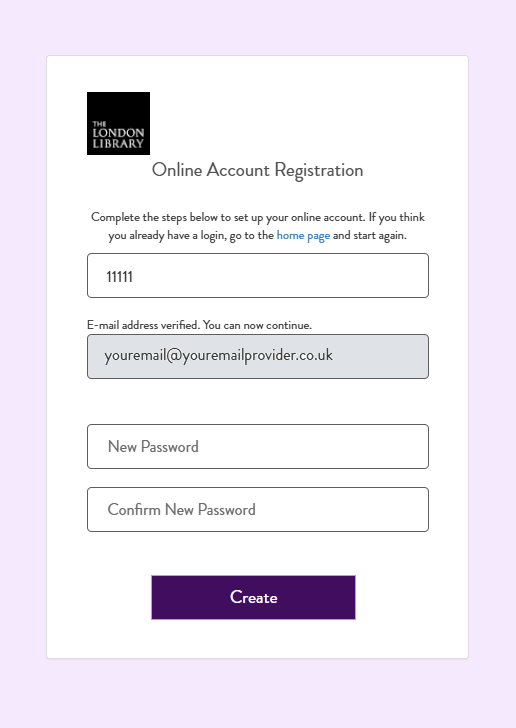
When your code has been verified you can continue to set your own password.
This needs to be at least 8 characters in length and could take the form of a passphrase, three unlinked words that are memorable and meaningful to you but to no one else (for example, redbracketscissors). You do not need to include any numbers, capitals or punctuation unless you wish to.
Click 'Create'
Need more help?
If you have any problems with registering for the catalogue, please contact us and we will be glad to help you.